
Best Of

Re: [SPESS] 2015-04-13 SpaceX Commercial Resupply Services (CRS) 6 Launch
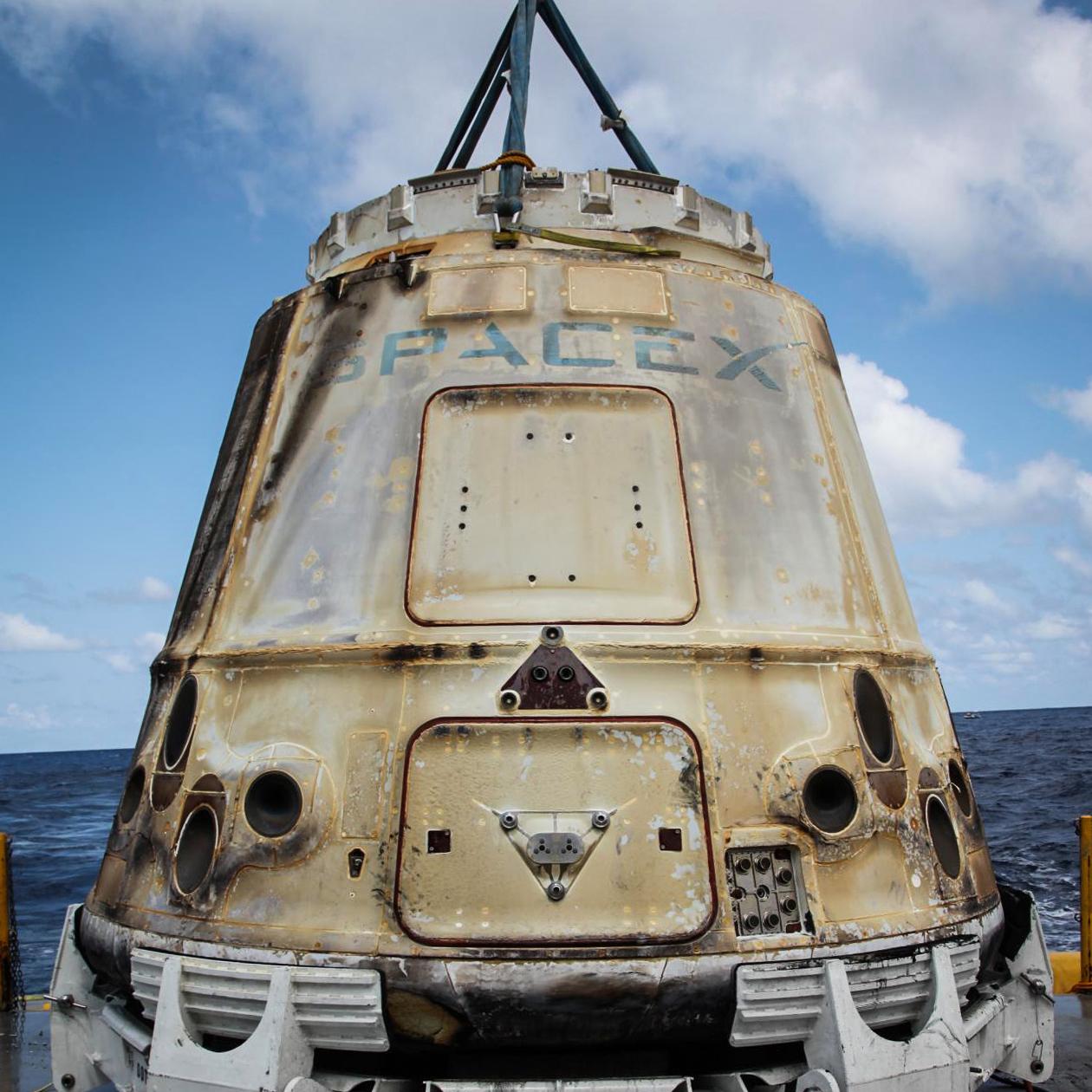
Man, now I want smores.
 drasnor
Re: Expo 2015 Travel Plans & Guidelines
Digi Details
Arrival:
Wed/Thur, Jun 24/25
Flight: United UA980
From DENVER, CO (DEN) 7:41 PM Jun 24th
To DETROIT, MI (DTW) 12:30 AM Jun 25th
Departure:
Mon, Jun 29
Flight: United UA3759
From DETROIT, MI (DTW) 5:33 PM
To HOUSTON, TX (IAH -BUSH INTL) 7:34 PM
I will need DTW pickup at 12:30am Thursday AM and drop off about 4:30 PM Monday.
My request for an airport ride at 12:30am comes with an apology and an offer to buy whomever accepts the challenge Breakfast or Midnight Snack. I got a great deal on the ticket and the shitty time was a side effect of that.
So excited.


Re: Wordpress issue. Artificial storage cap?
I'd highly recommend that plugin I mentioned @CB , it will use your local browser to perform the resizes via javascript (so the cpu/memory of your own computer/browser) and leave PHP and your webserver out of it. Then it will upload the resized images and you should be good to go. It is useful to have the multiple image sizes for WordPress for a number of reasons, but I admit the implementation of it in stock WordPress is clumsy.
The alternative is getting 1&1 to configure php to allow more memory, pref 128mb+, for the resize process. I don't know anything about 1&1 but that could be an annoying support request.





Re: Wordpress issue. Artificial storage cap?
Do you have a large volume of files (like actual number of files) in the folder? Is that folder on a shared filesystem with a lot of users that also may have a large number of files?
If you have shell access - When you are getting the error from wordpress, will it allow you to create a file in the wp-content folder that way?
If you have shell access - Can you execute "df -i"?
If you have shell access and you can execute "df -i", does anything show 100% under the IUse% column?

Re: Wordpress issue. Artificial storage cap?
@georgeh I know I ignored that. It's because I believe that symptom is a correlation with the root problem. Wordpress has a very specific error message for the situation of running out of storage space during a media upload. It's an easy to catch error. Instead we are getting a generic error here which occurs when WordPress doesn't know what went wrong. That generally indicates a php script in the background stopped running for one reason or another. That usually happens during media uploads if there is an uncaught memory issue. That's why, I think, we need to see the php error logs.
Re: Wordpress issue. Artificial storage cap?
@PirateNinja said:
Most likely scenario in my mind is you are running out of process memory on the webserver (not physically, but against a php set memory limit) and that the file you are trying to upload is rather large.
That doesn't explain this symptom: "If I delete some old files, it lets me upload new ones again"
My guess is that the WordPress uploads are aren't respecting @CB's disk quota. Maybe because they are owned by a general Apache user on a shared host and the Apache user's quota is full? That would be something for your hosting provider to diagnose.
 georgeh
Re: Wordpress issue. Artificial storage cap?
Wordpress resizes images. That process uses memory. It doesn't resize mp3s. I'm not trying to ignore anything I just don't think you are running in to a storage problem. I'll stop assuming until we have logs to look at.