


Mozilla’s Director of Firefox Mike Beltzner has today outlined the goals for the next major version of Firefox, Firefox 4.x. Major focuses, he says in a new presentation, include security, speed and simplicity for users backed by robust language support for developers.
For users
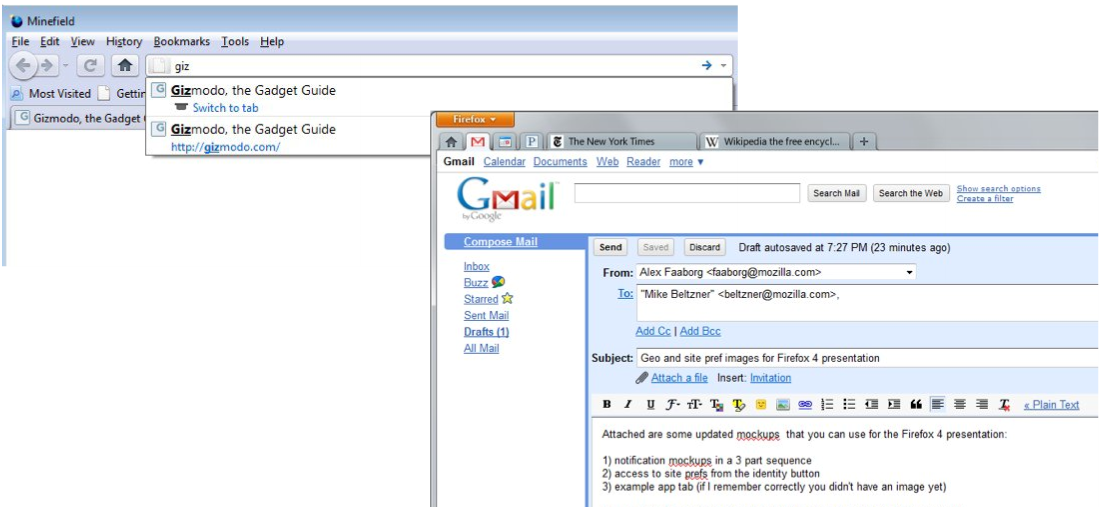
Cautioning that plans might change, Beltzner’s presentation makes it clear that users need a cleaner, simpler browser. This might be accomplished, he says, by burying the File/Edit… menu that consumes an entire bar on current versions of Firefox–a bar that few regular users access. Other changes include more compact tabs, tabs above the address bar a la Chrome, the ability to switch tabs by name in the address bar and move obvious warnings or prompts.

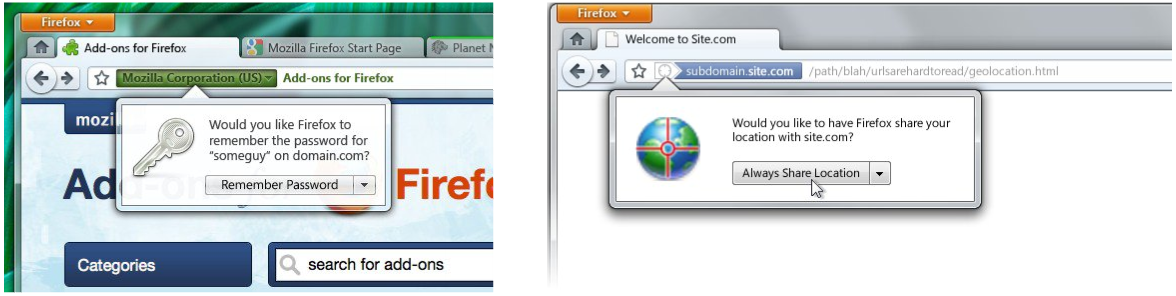
Next, a redesign of Firefox’s privacy options provides users with complete control over their personal information on a per-site basis. When visiting a site, users might be able to click a button that not only indicates the security level of the website, but also provides users with a button that links to a menu that controls cookies, password saving, pop-up blocking and other parameters. This same menu can also be used to access the security settings of any site at any time.

Finally, a new full-screen personalization menu is designed to make it easier than ever to customize Firefox with addons, themes or languages. The new addon menu is a particular point of pride, as a new technology Mozilla has dubbed Jetpack will allow users to finally install or remove addons without restarting the browser.

For developers (and users, too!)
Mozilla is capitalizing on Firefox 4.x’s “major iteration” status to add, update and otherwise radically improve the browser’s language and API support. Again cautioning that early plans are subject to change, Mozilla has outlined several key initiatives:
- WebSockets: A component of the HTML5 spec, WebSockets allows browsers an always-on, low-latency pipe to a remote server upon request. The technology may eventually be ideal for delivering content according to the “browser as the desktop” push in projects like Chrome OS.
- Gestures and multi-touch
- HTML5: It has been a long time since HTML was last updated, which has left technologies like JavaScript and Flash room to grow where HTML had nothing to offer. HTML5 hopes to reverse some of those trends by, for example, offering plugin-free streaming audio and video and offline storage.
- CSS3: CSS3 will allow developers even more freedom in sprucing up their webpages without turning to bandwidth-heavy graphics.
As PCWorld explains in a fantastic primer on HTML5 and CSS3, even everyday users stand to benefit from the work Mozilla is doing under Firefox’s hood.
The need for speed
In addition to the major language/API overhaul, Mozilla is spending even more time under the hood to make sure that Firefox 4 is the fastest version ever. Beltzner’s presentation offers a plethora of items, but the highlights are definitely worth mentioning:
- 64-bit support
- Faster startup times
- Faster page rendering
- Direct2D acceleration (Learn more)
- Out-of-process plugins (Learn more)
- Reduced CPU/memory overhead
- Improved UI responsiveness
As you can see, the list of performance improvements Mozilla has put on the docket for Firefox 4 makes for a real shot in the arm. If Beltzner has his way, Firefox’s memory consumption and erratic plugin-driven crashes should finally come to an end. Those of you who suffer from these issues know exactly what we’re talking about.
Final thoughts
Beltzner constantly emphasizes in his presentation that the list of proposed changes is not final, rather a wishlist of all the features Mozilla hopes to prepare in time for the Firefox 4 beta in June, which will be public. Mozilla hopes to attract early adopters and mainstream users for extensive “in the field” crash and performance telemetry, so the browser is ready to hit the ground running with a release candidate and a launch in September/October.








 Articles RSS