


This is part six of a comprehensive look at HP’s EliteBook 8740W Mobile Workstation. If you’re new to this, please start at day one.
So today I got all hot and bothered to open the throttle all the way and really start pushing this machine at what it’s meant to do. That means the industry standard SpecviewPerf 11 benchmark.
We’ve run this benchmark on several workstation-class GPUs in the past, so we have a nice little body of data to run this laptop against. In our data collection, we’ve got numbers for AMD’s FirePro v7800, v8750, and v8800 as well as NVIDIA’s Quadro 6000 (their absolute top-end workstation card.)
SpecviewPerf runs the machine through several real-world software simulations using engines from a variety of industry-standard content creation applications such as Catia, SolidWorks, LightWave, and Maya, to name a few. This gives us a synthetic number that shows how various hardware configurations will act in these important applications.
Before I show you the numbers, I have to make one thing clear: This machine was benchmarked against a significantly different computer. The benchmark system for the other cards was a desktop workstation with the following specs:
- AMD Phenom II X6 1090T six-core processor at 3.20 GHZ
- 8 Gigabytes of DDR3 1600 memory
- MSI 890FXA motherboard
So we’re pitting our little eight pound mobile workstation against a full desktop tower built within the last year. The workstation-class cards we tested against were:
- AMD FirePro V7800
- AMD FirePro V8750
- AMD FirePro V8800
- NVIDIA Quadro 6000
First, the numbers:
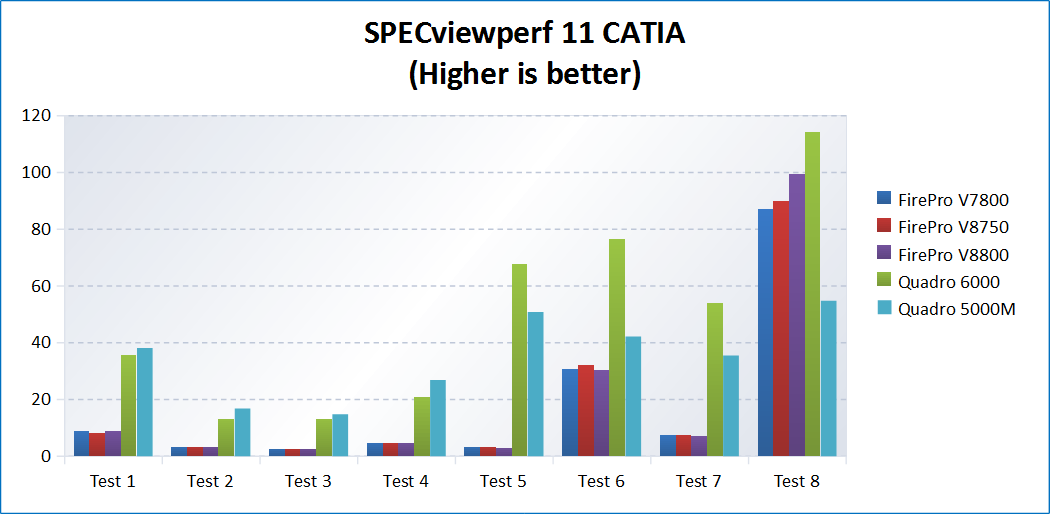
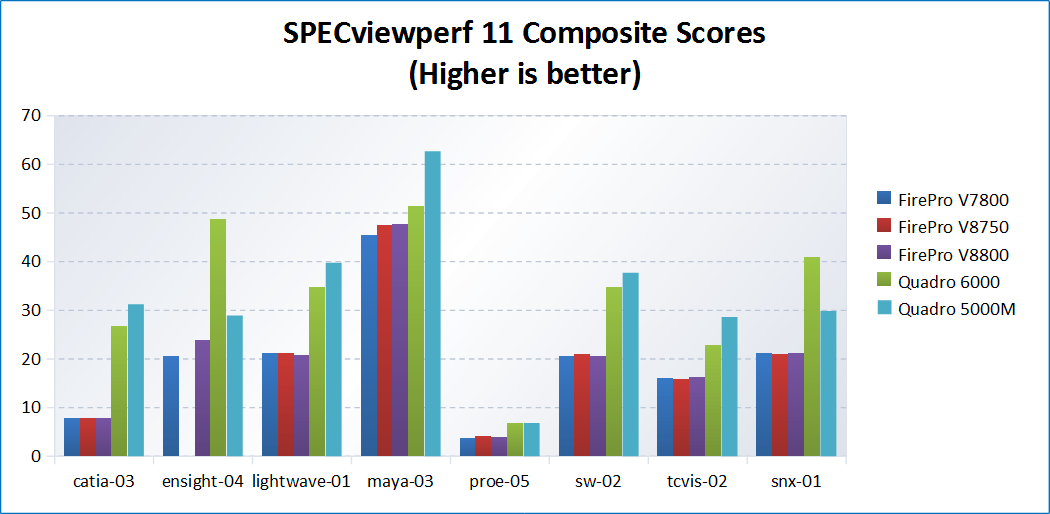
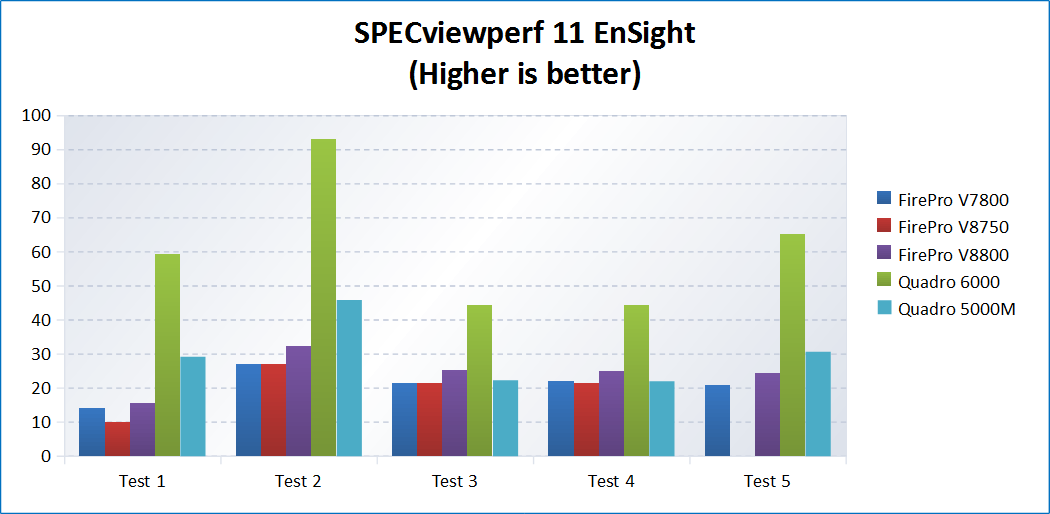
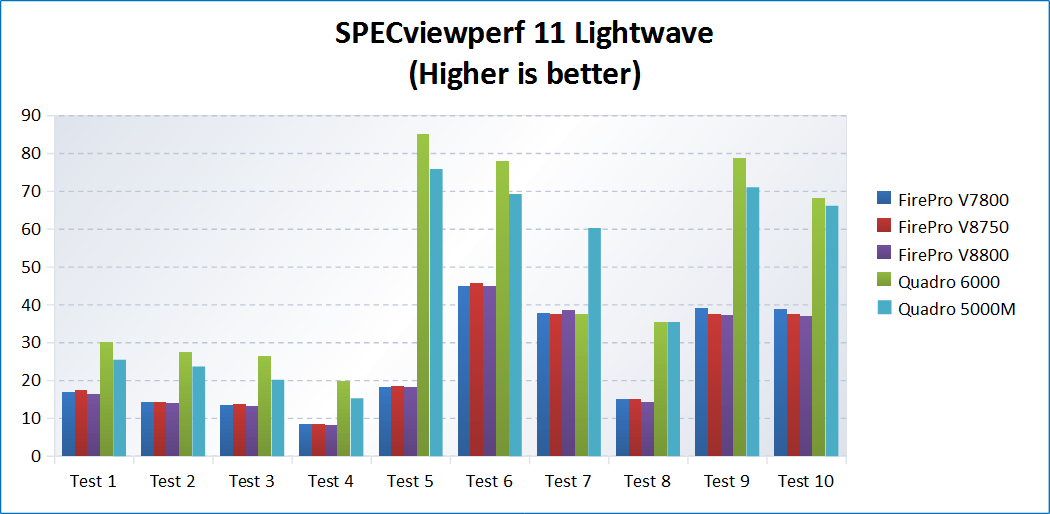
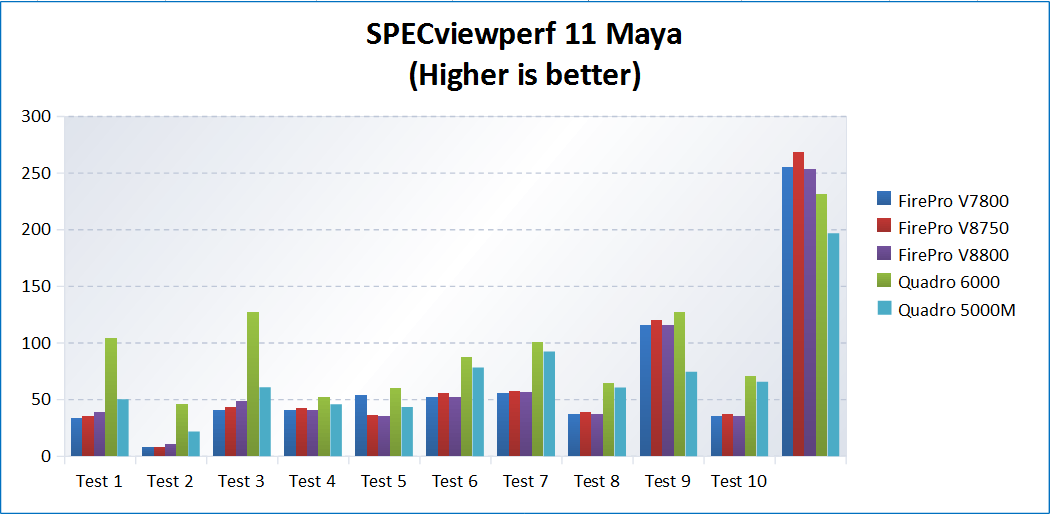
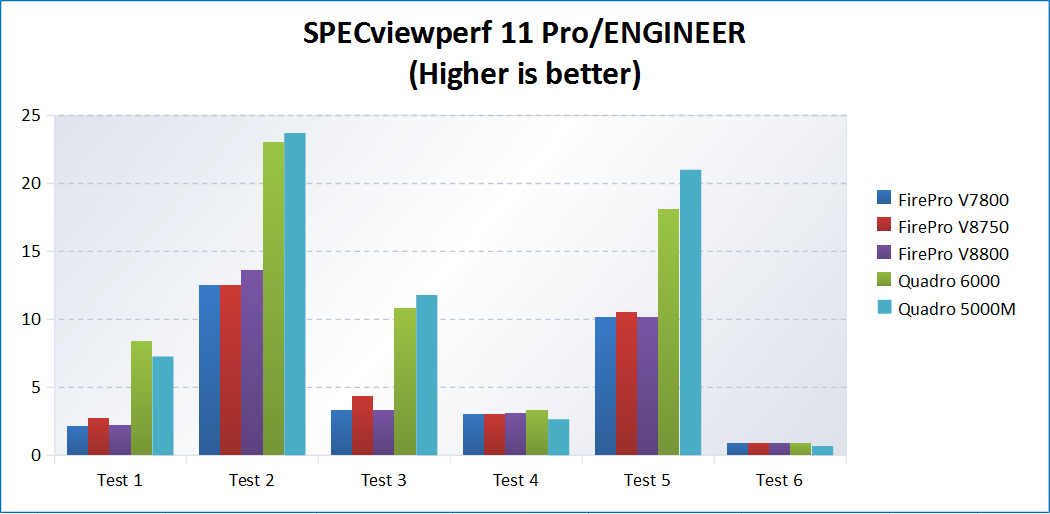
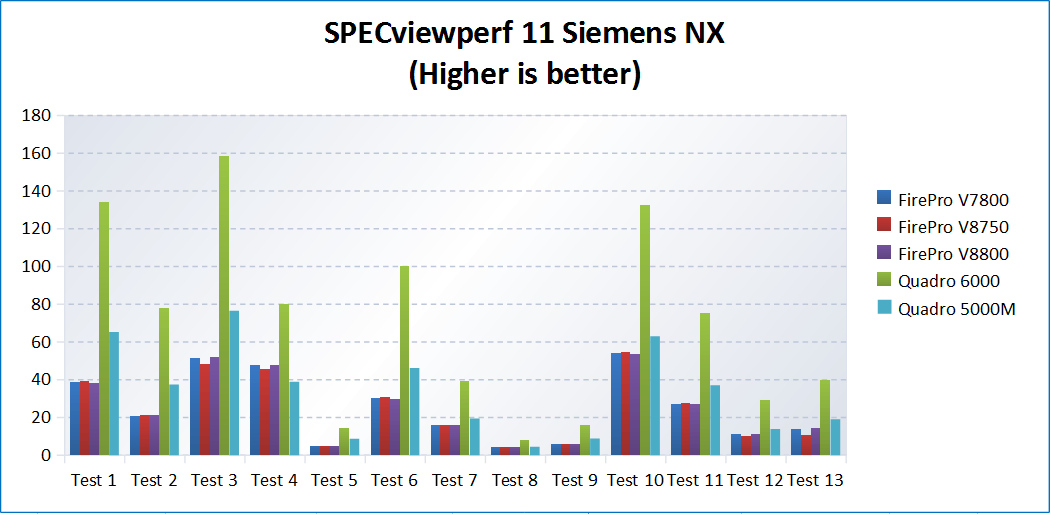
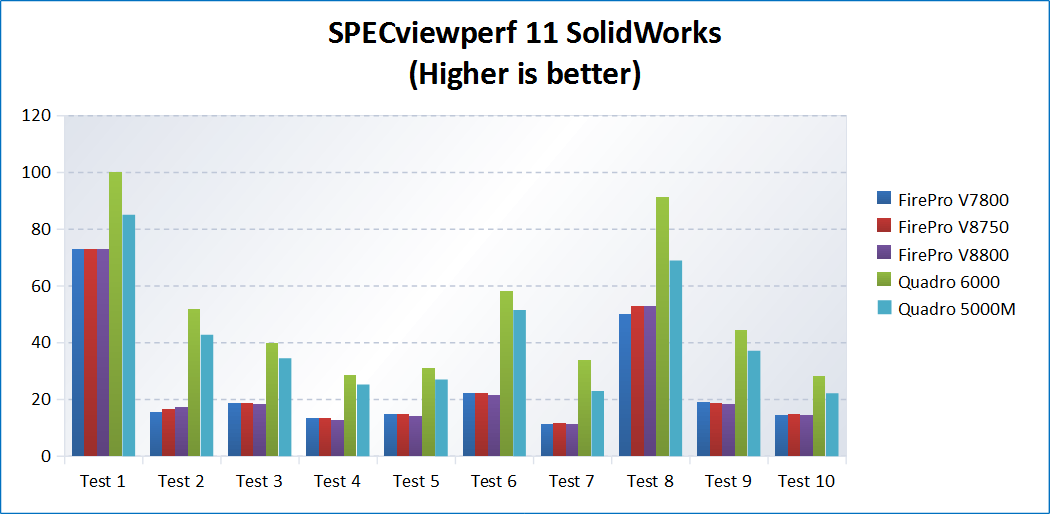
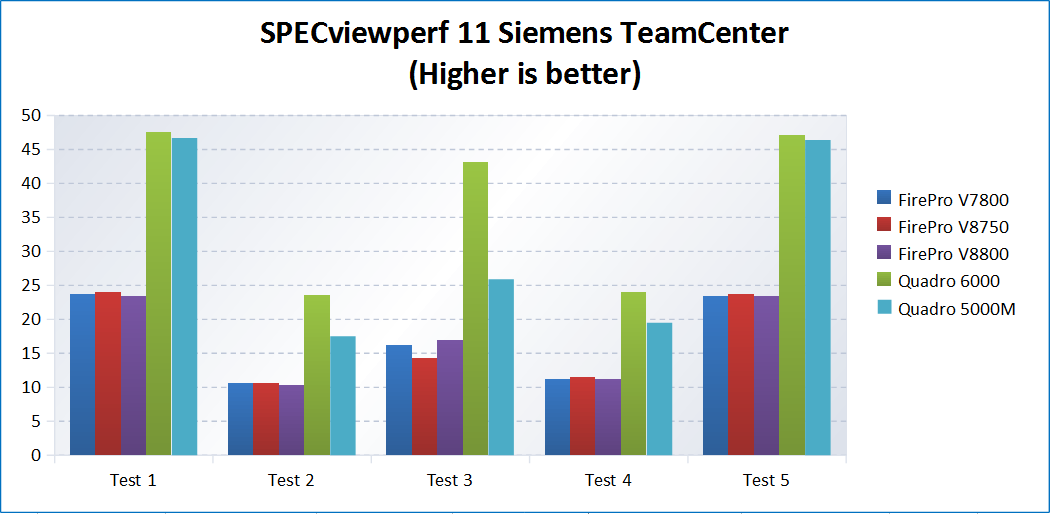
As you can see, the numbers are basically astounding. In quite a few of the tests, the Quadro 5000M running on the 8740w benches higher than even NVIDIA’s absolute best card (the Quadro 6000) running in an AMD Phenom II six-core system. This is where we begin to see that the four-core Intel Core i7 CPU that’s in the HP mobile workstation is a gargantuan number-crunching leviathan. The Core i7 Q740 paired with the Quadro 5000M is just an absolute demon.
During benching, the CPU temps got up to 76 degrees, which is pretty hot but still within spec, and the power draw peaked out at 127 watts, which is pleasantly lean, considering the amount of computation going on during these tests. The system fan never cranked up to high speed. It was relatively quiet during the tests, which speaks to the lower voltage requirements and overall efficiency of these mobile processors.
If you’re a road warrior who uses any of these professional DCC applications, I can definitively tell you here and now that they will run splendidly on this workstation, and you can take your work out of the office with you. I’m pretty sure this laptop is actually faster than many desktop workstations that some of our readers have on their desks at work or home right now.
“But I’m not an automotive designer or architect, Brian!” I can hear you saying. “I’m a video editor…” That’s fine, because tomorrow I plan on starting some tests with Cinebench and Adobe Premiere Pro CS5’s Mercury Playback Engine. Unfortunately, there is not yet a synthetic benchmark that uses Mercury Playback, but the good old stopwatch method will tell enough of a story, I’m sure.
Special thanks to Bobby “UPSLynx” Miller for the old benchmark numbers, Robert ‘Thrax” Hallock for technical consultation, and Nick “Mertesn” Mertes for his awesome chartwork.
Continue on to Day 7 of my coverage.






 Articles RSS